
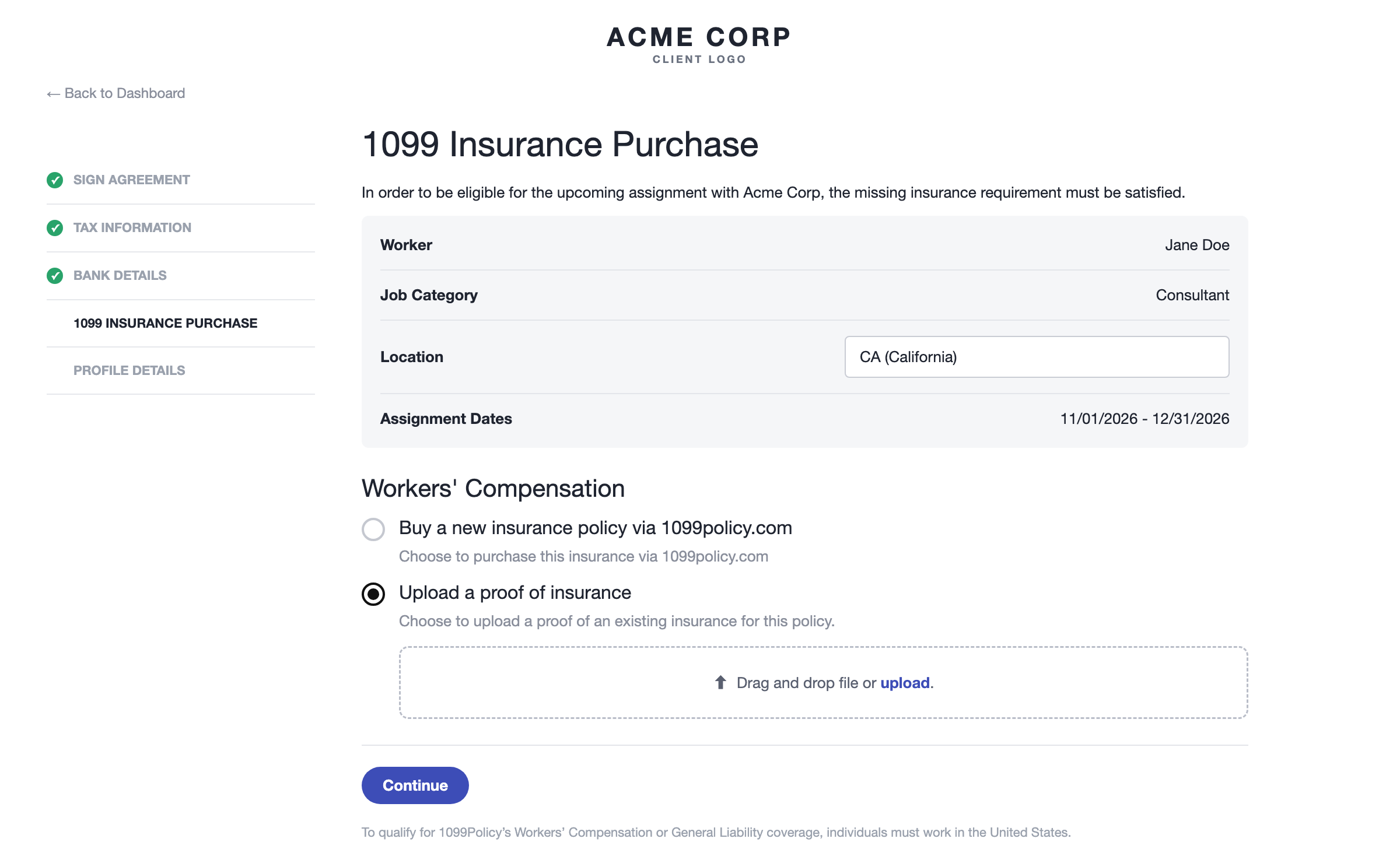
When a contract requires 1099 insurance, the worker completes a 1099 insurance stage in their onboarding workflow. For each required policy, they can buy coverage through our partner 1099Policy or upload their own proof of insurance. This guide explains what you see as an admin and how to review uploaded certificates.
Which policies are required (Workers' Compensation, General Liability, or both) comes from the contract template's 1099 insurance settings.What the Worker Sees
For each required policy, the worker chooses to buy coverage through 1099Policy or to Upload a proof of insurance. If they upload, the certificate comes to you for review.
Stage Statuses
- Coverage required / Pending actions: the worker hasn't made a choice yet.
- Opted in for this insurance via 1099Policy. The purchase is in progress: the worker is buying through 1099Policy. No review is needed from you.
- Successfully purchased this insurance via 1099Policy: coverage is active.
- Please review the proof of insurance: the worker uploaded their own certificate and it's waiting for your decision.
How to Review an Uploaded Proof of Insurance
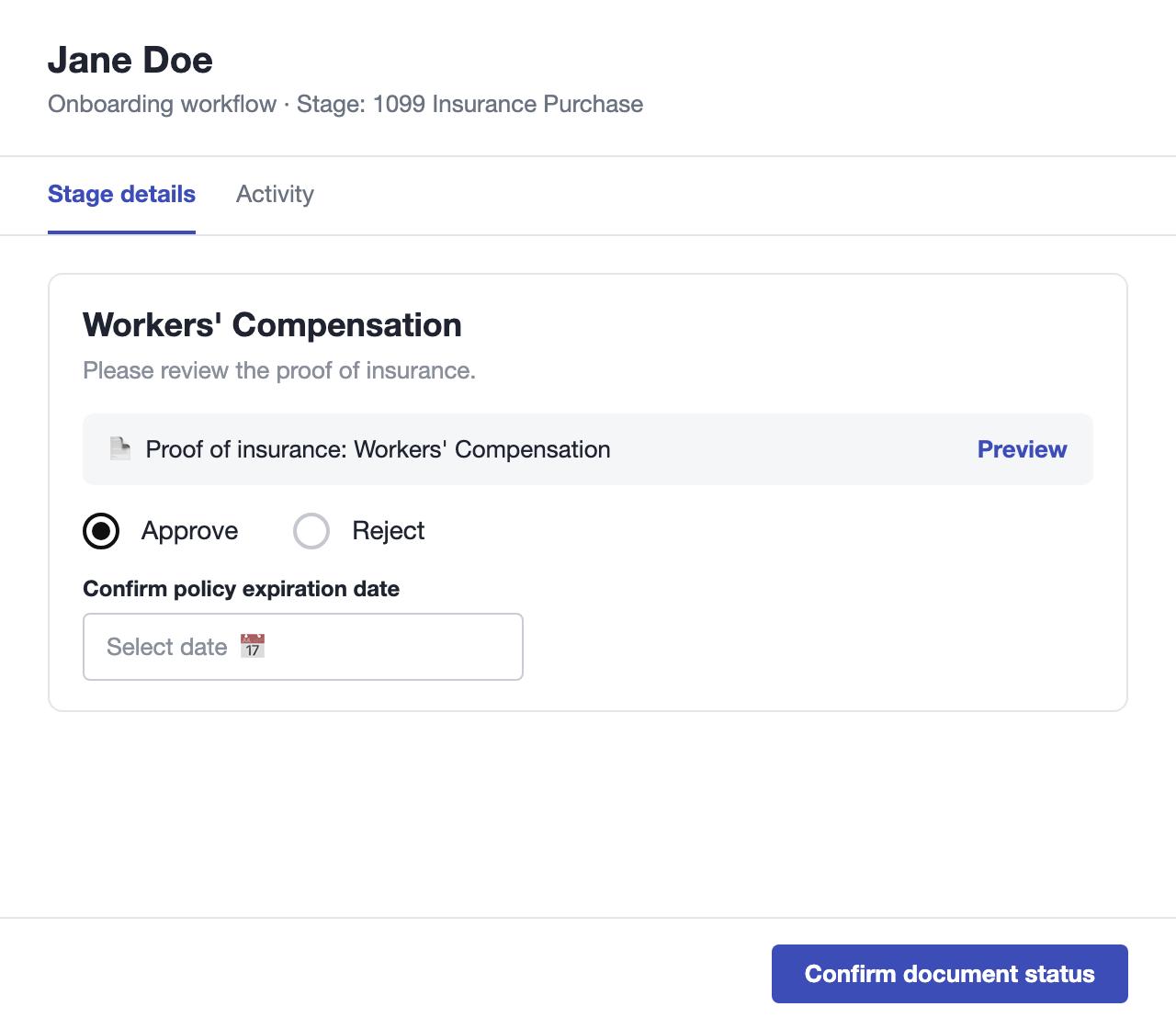
- Open the onboarding workflow and click the worker who is in the 1099 insurance stage. The stage panel opens.
- Under the policy, click Preview to open the certificate.
- To accept it, select Approve and enter the policy's expiration date in Confirm policy expiration date. The date can't be in the past.
- To decline it, select Reject and enter a Rejection reason (up to 100 characters). The worker will see this reason.
- Click Confirm document status.
After You Reject a Certificate
Under What can you do next? you have two choices:
- Move to retry: reopens the stage for the worker. They can upload a corrected certificate or opt in to 1099Policy instead. While you wait, the stage shows Rejected - awaiting a new proof of insurance or a 1099Policy opt-in.
- Disqualify: ends the worker's onboarding.
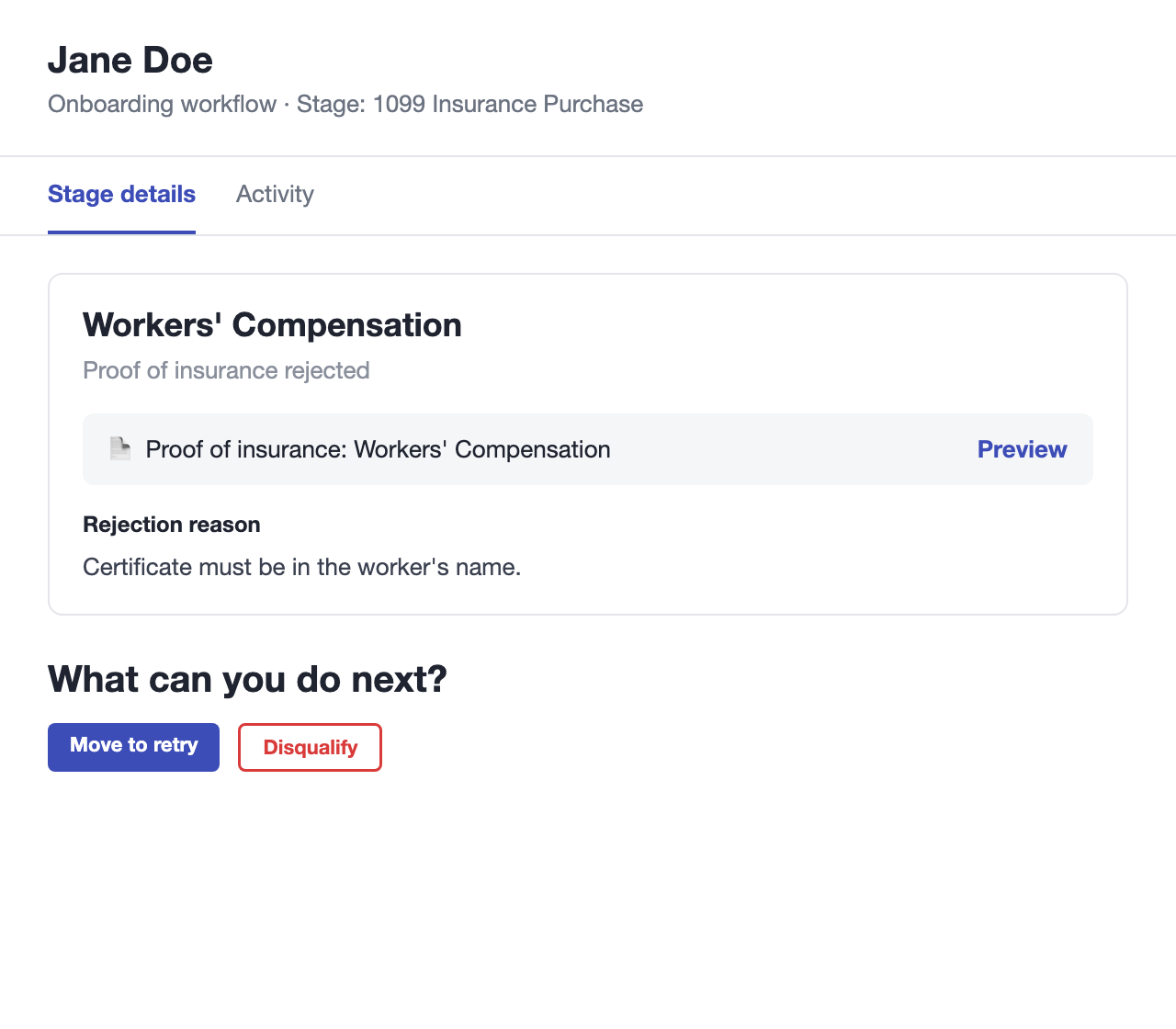
Note: The worker can't upload a new certificate until you click Move to retry.Good to Know
- On AOR contracts, 1099 insurance is managed as part of the AOR process, so only Worksuite employees can approve or reject these certificates.
- 1099Policy only covers work done in the United States. Workers in North Dakota, Ohio, Wyoming or Washington must upload their own proof of insurance, and General Liability through 1099Policy isn't available in Hawaii.
- If the stage shows a message about the assignment dates or wage, check the contract details. 1099Policy can't quote an assignment that's set in the past, ends too soon, or has an unexpected wage.
Support/Resources
Still have questions about reviewing insurance in onboarding? Click Support in the bottom-left corner of Worksuite to contact our Support team, or email support@worksuite.com. Including a link to the page you're on and a screenshot helps us answer faster.