
How to Use Talent Groups in Worksuite
In Worksuite, Talent Groups serve as a customizable tool to efficiently organize your talent based on shared characteristics. This customization enhances your ability to manage and locate talent effectively.
Note that Talent may also be referred to as partners, vendors, freelancers, contractors or a custom term determined by your account administrator.
TABLE OF CONTENTS
Organizing and Locating Talent
Assigning talent to multiple groups allows for versatile search capabilities. For instance, you might search for external talent by location or by specific expertise. By establishing groups categorized by both location and specialty, you can streamline your search process accordingly.
Within the Groups page, you can select multiple groups and perform actions such as:
- Adding talent (Add partners)
- Adding all their talent to a request or job opening
- Sending their talent a message
- Deleting groups (this doesn't remove the talent in them)
To rename a group or set its group managers (up to 2), open the group and choose Edit group.
Creating and Enhancing Groups
To create a new group:
- In the side menu, go to Index > Groups (your workspace may use different names).
- Click Add group at the top of the page.
- Enter the desired group name.
- Add a logo by selecting from available options or uploading your own.
- Click Save.
For additional customization, enable the Advanced properties feature to add a cover photo, description, and other pertinent details about the group.
Adding Talent to a Group
You can add talent to a group through various methods:
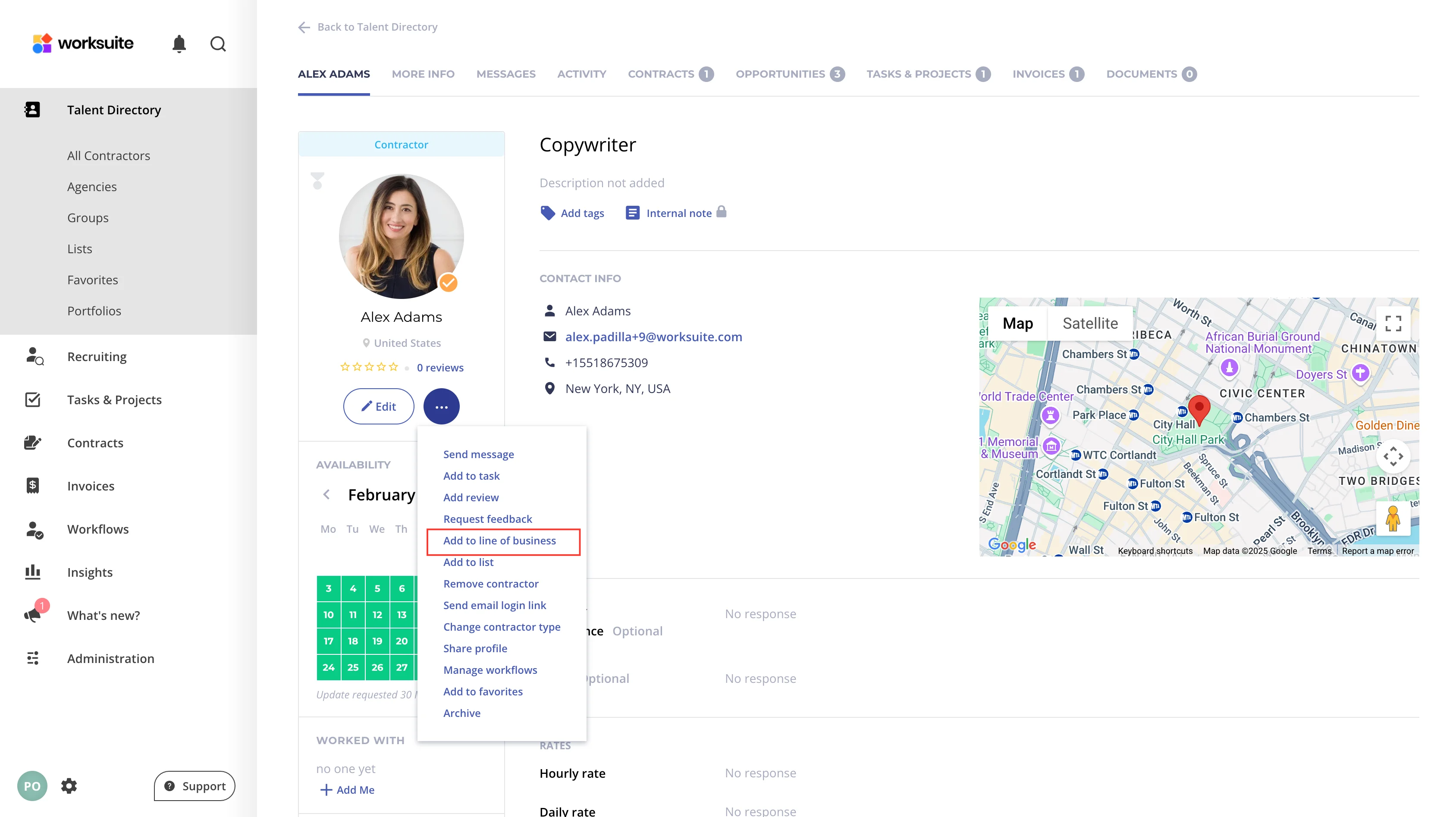
- Through the Talent's Profile:
- Navigate to the talent's profile.
- Click on the talent and select the 3 dot menu to see options
- Select Add to Group from the menu.
- In the pop-up window, choose the desired group from the dropdown menu. Then click Add.
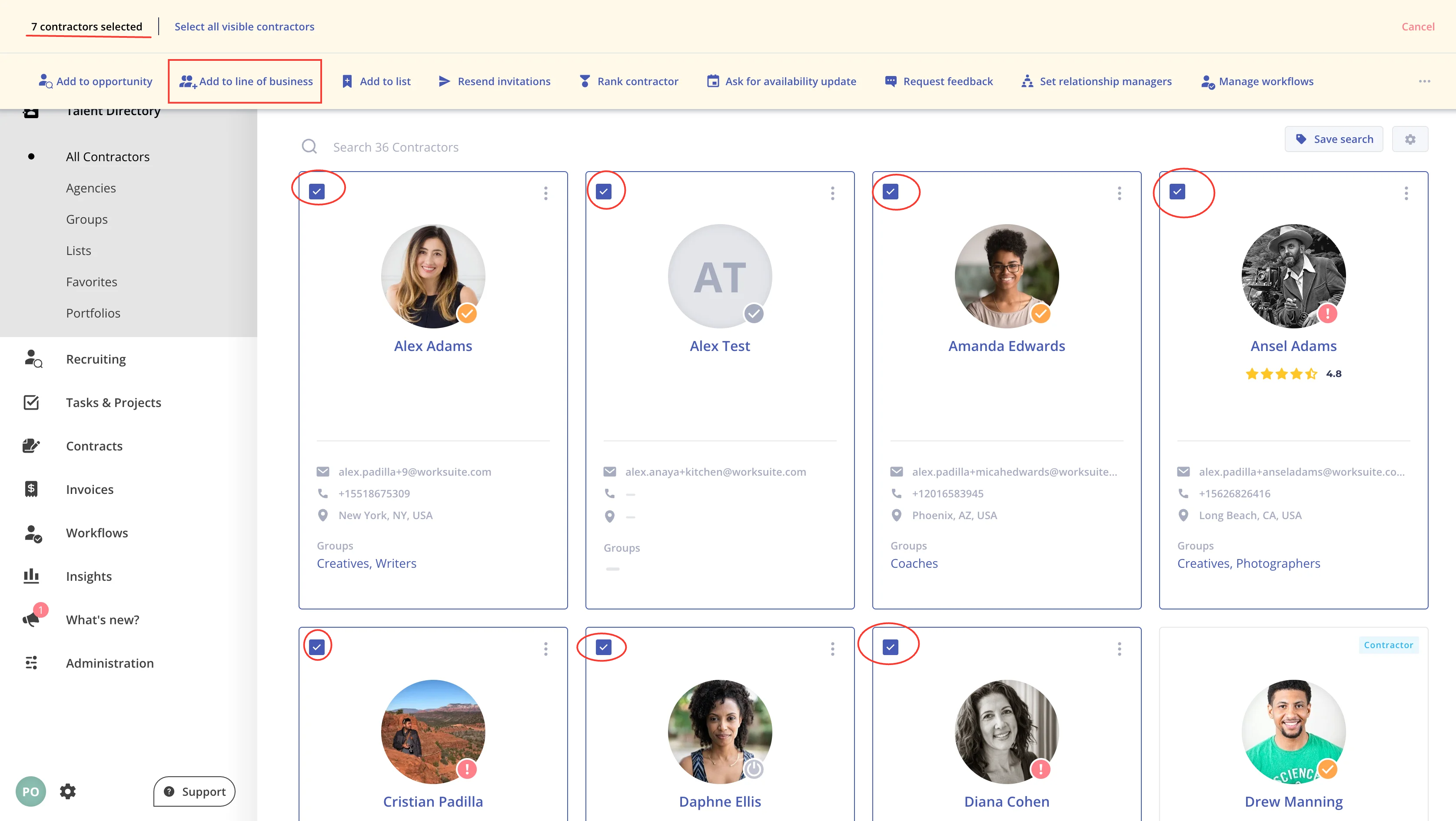
- In Bulk:
- Go to Index > All Partners (your workspace may use different names).
- Select the talent you wish to add to a group.
- Click Add to group.
- Choose the appropriate group from the dropdown menu and click Add.
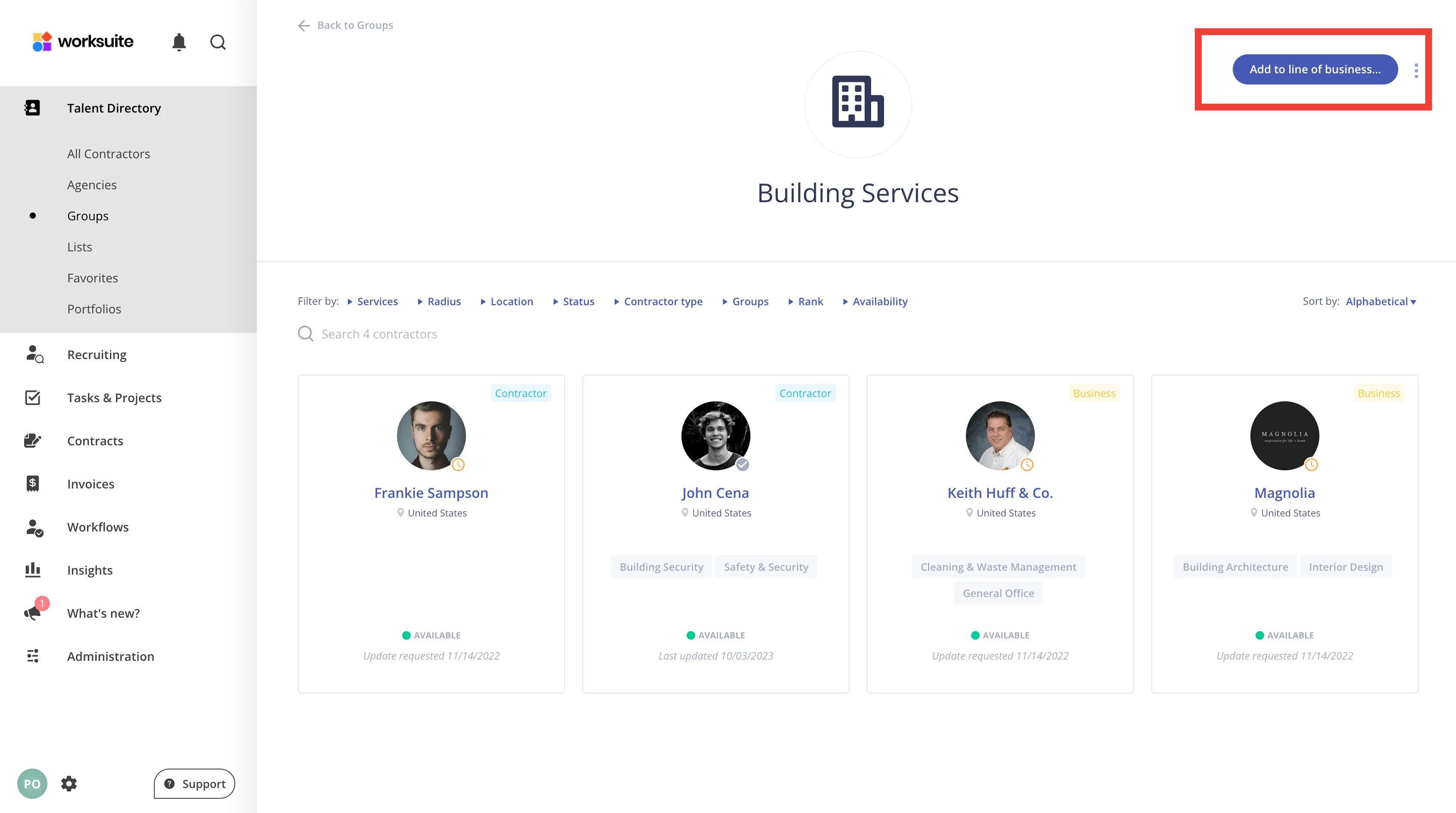
- Directly from the Group Page:
- Navigate to the specific group page.
- Click Add to group... at the top of the page (it uses your workspace's term for groups).
- Under Select partner, choose the talent you want to add, then click Add.
Support/Resources
Still have questions about Talent Groups? Click Support in the bottom-left corner of Worksuite to contact our Support team, or email support@worksuite.com. Including a link to the page you're on and a screenshot helps us answer faster.